The short answer
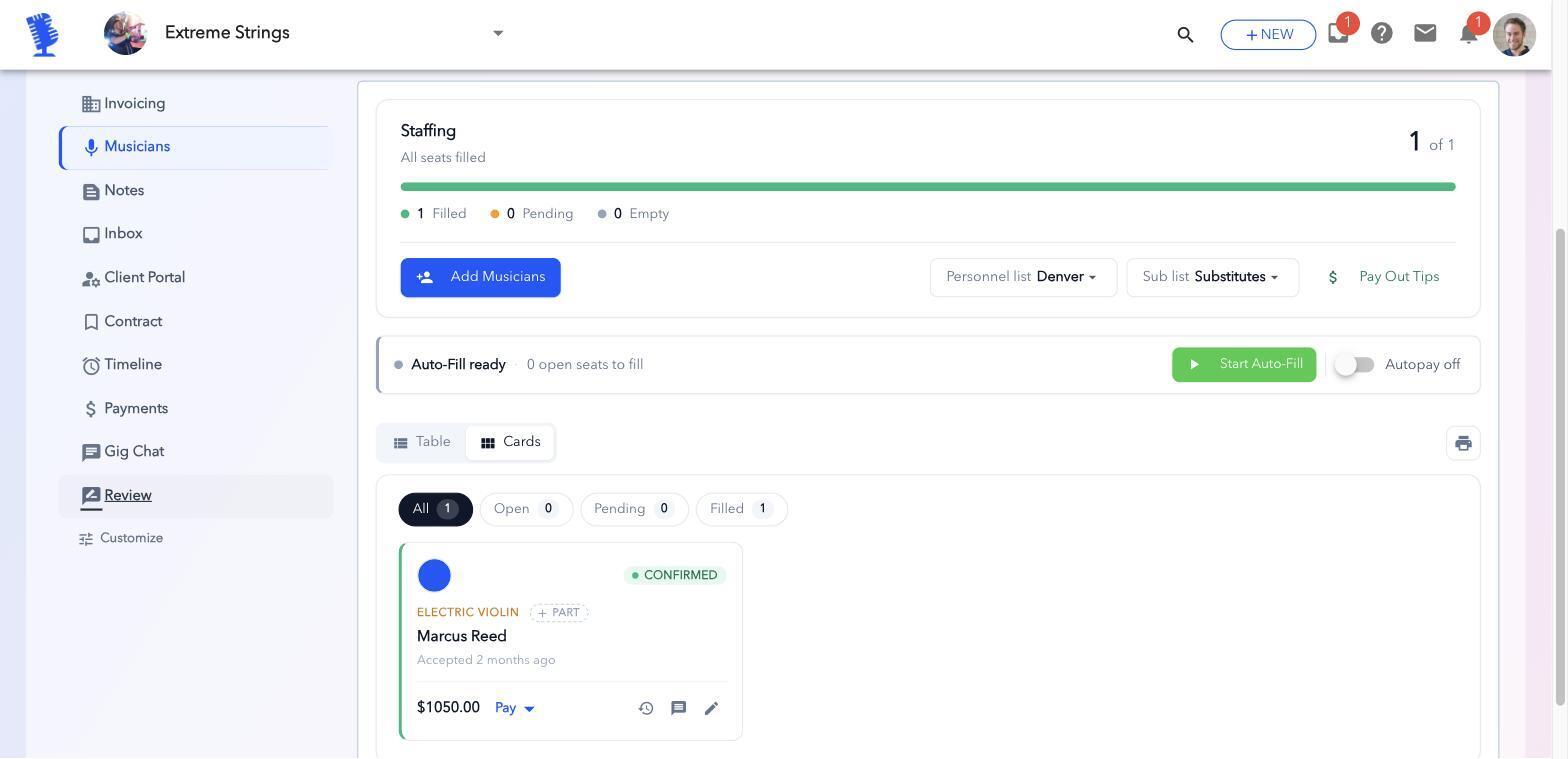
To schedule band members for gigs, keep a ranked list of players for every instrument, send each player one clear request with the gig details and a reply deadline, and move to the next name on the list the moment someone says no or doesn't answer. Keep every confirmation, change and payment in one place instead of scattered group texts.
That's the whole system. The rest of this guide shows how to set it up, when to send a shotgun sub request, what changes for wedding bands, string quartets, cover bands and soloists, and how to run it without chasing anyone.
Why group texts and spreadsheets break down
Group texts work for one band with four regulars. They fall apart once you have subs, more than a few gigs a month, or more than one lineup.
- Answers get buried. A "yes" for Saturday sits between memes and a question about parking for Friday.
- Nobody knows who's next. When your drummer says no, you scroll your contacts and hope you remember who's good and who you asked last time.
- There's no deadline. "Let me check" can turn into three days of silence while the gig gets closer.
- Details drift. Load-in time, dress code and the set list live in five different threads, so someone always shows up with the old version.
- Pay is a separate mess. Who's owed what lives in a spreadsheet or your memory, not next to the gig.
A spreadsheet fixes the record-keeping but not the asking. You still have to text everyone, wait, and update the sheet by hand.
A step-by-step scheduling system for any band
- Build a roster for every instrument. List your first-call player, then your subs, in the order you'd ask them. A violin chair might have four names; a bass chair might have two. Here's how to build and rank a sub roster.
- Have players block out dates they can't do. Ask them to mark vacations and other gigs ahead of time, so you never ask someone who's already busy.
- Create the gig before you ask anyone. Date, times, location, load-in, dress code, set list and pay, all written down once. Here's what to send your band.
- Send one request per seat, with a deadline. "Can you play Saturday the 14th, 5–10pm, $250? Please reply within 48 hours." A deadline turns "let me check" into a real answer. More on confirming musicians' availability.
- Move down the list automatically. A no, or no reply by the deadline, means you ask the next person. Don't wait and don't negotiate with silence. If the gig is days away, skip the line and send a shotgun sub request.
- Confirm in writing. Once everyone says yes, send the final details to the confirmed lineup only.
- Keep one place for changes. If the start time moves, update it once and let everyone see it, instead of texting each person.
- Pay from the same record. Log what each player is owed against the gig, and mark it paid when it's done. See how to pay your band members.
Asking in order vs. shotgun sub requests
There are two ways to fill an open seat, and good bandleaders use both.
In order
Ask your first-call sub, wait for an answer, then move to the next name. It respects your best players and gets you the person you actually want.
Shotgun
Send the same request to every available sub at once. The first one to accept gets the gig, and everyone else is told the seat is filled.
Shotgun requests only work well if:
- Everyone on the list is someone you'd be happy to hire.
- The request has all the details, so the first person to say yes doesn't back out after reading them.
- The players who miss out are told right away that the seat is taken.
Some bandleaders also let their regular players sub themselves out. The player hands back the seat, and it goes out shotgun-style to the approved subs, so the leader doesn't have to step in at all. For a step-by-step plan, see how to find a last-minute sub musician.
What changes by type of act
Wedding bands
You're often booked a year out, so the lineup you planned may not be the lineup you get. Confirm players closer to the date, and keep at least two subs per chair for peak Saturdays in spring and fall. More in the wedding band guide.
String quartets and ensembles
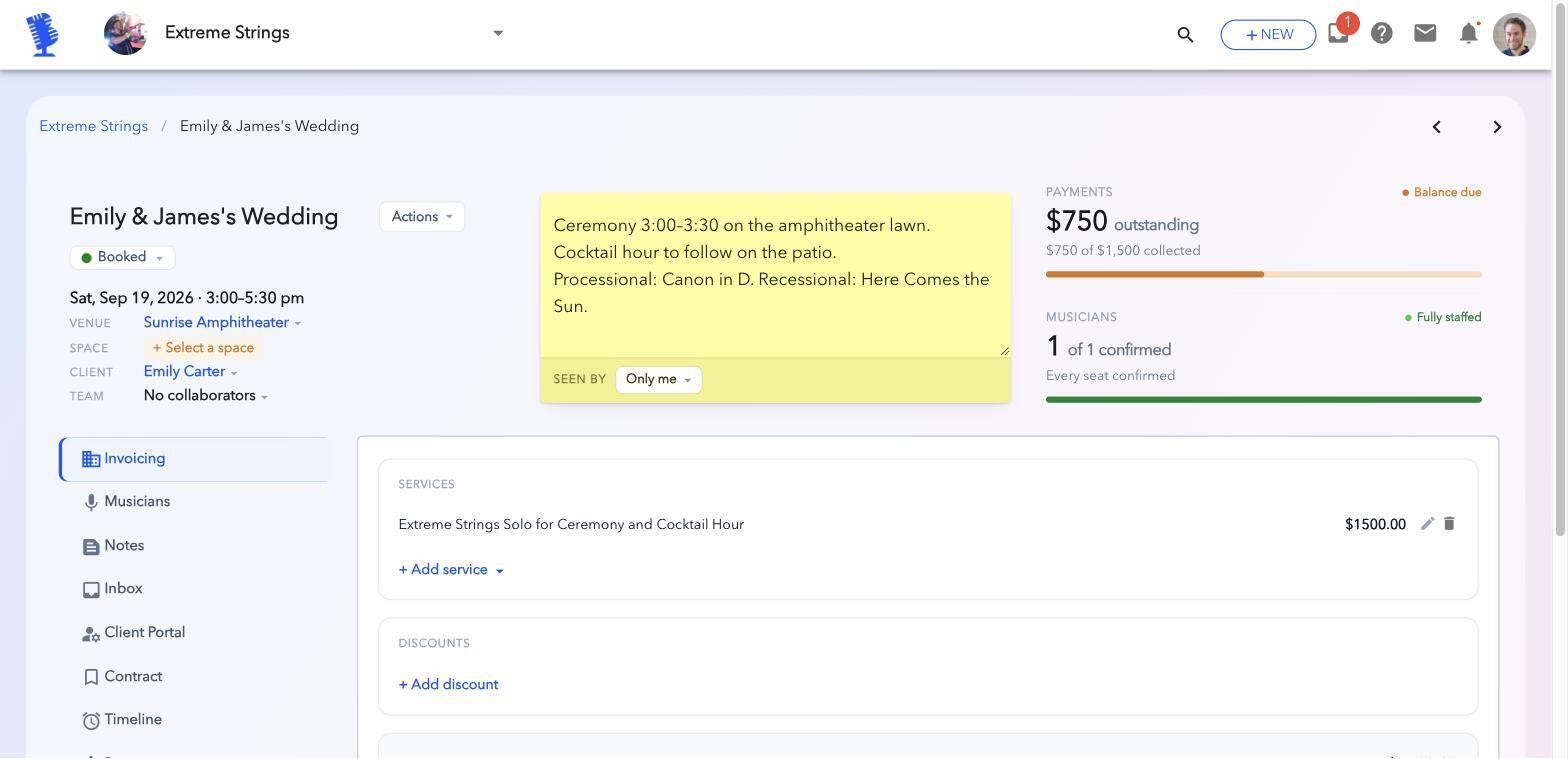
Every chair matters and subs need to read well. Keep a deep bench per instrument, and send the music with the request so a sub can say yes with confidence. Ceremony details like the processional cue belong in the gig notes. Read the full guide for string quartets.
Cover bands
You may play weekly with a rotating lineup. Rank subs by how well they know your set list, not just who's free, and share the set list with every booking. See managing a cover band lineup.
Soloists
You don't staff a band, but you do get double-booked. Keep a short list of trusted players you can send in your place. When it's short notice, shotgun the request to all of them, and pass the client's details along cleanly so the gig still feels like yours. Here's what to do when you're double-booked.
Agencies and leaders with several acts
The same players often work across your acts. One shared roster with blackout dates stops you from booking the same violinist for two gigs at once. See scheduling musicians across several acts.
How BookLive handles band scheduling
BookLive runs the system above for you, so you set it up once instead of texting for every gig.
- Ranked rosters. Set who gets asked first for each instrument, with your subs in order behind them.
- Requests with deadlines. Ask one player or the whole lineup at once, and set how many hours each player has to answer.
- Auto-Fill. Turn it on and BookLive works down your roster by itself: a no or a missed deadline goes straight to the next player.
- Shotgun sub requests. For last-minute gaps, the Substitute button sends the seat to all your available subs at once, and the first to accept gets it. You can also let players sub themselves out, which sends their seat out the same way.
- Blackout dates. Players mark the dates they can't do, so you don't ask someone who's already booked.
- Gig Chat. Message everyone on a gig in one thread, with the details in one place.
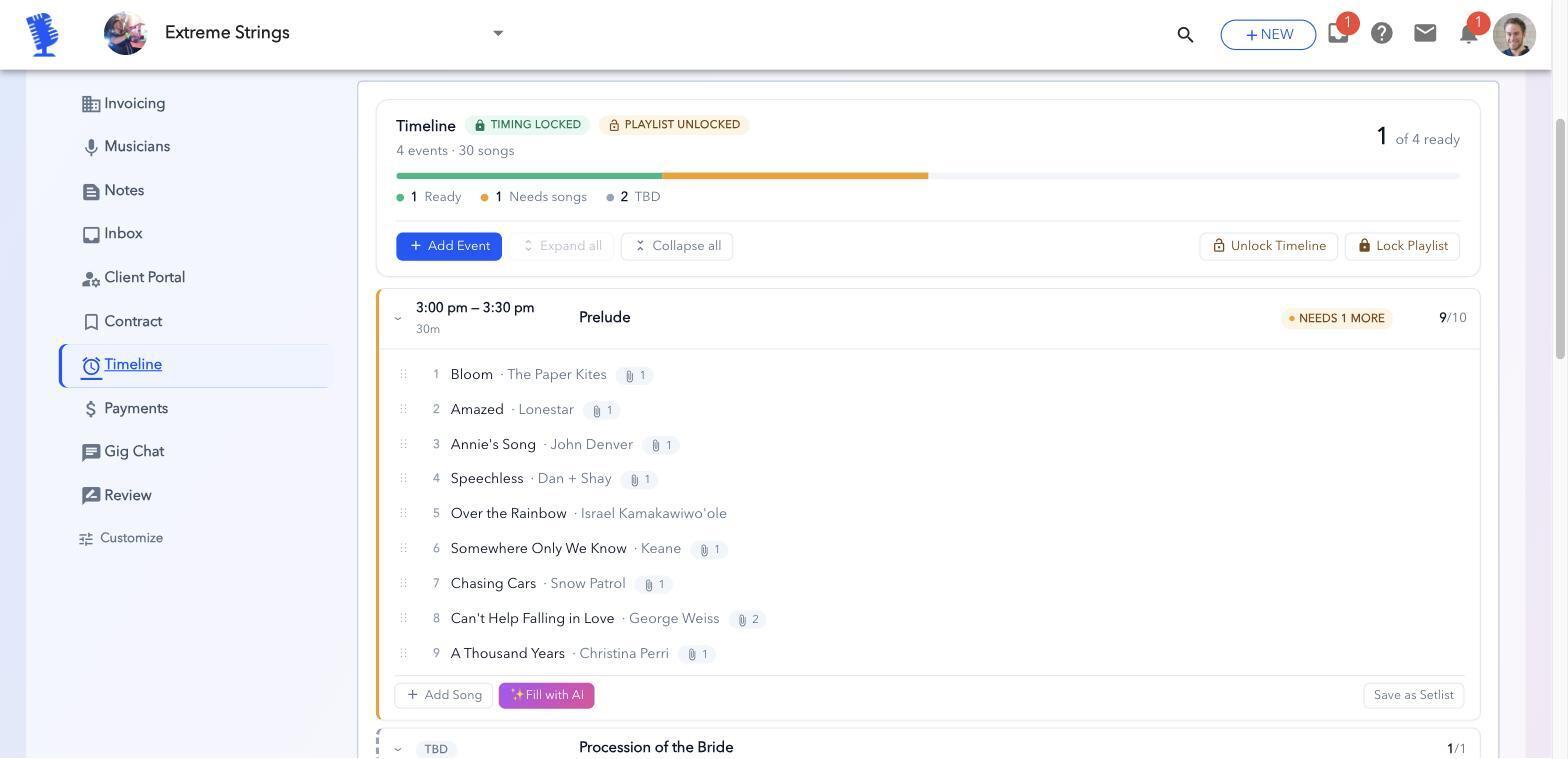
- Set lists that load themselves. When a player is staffed, the sheet music and backing tracks for that gig load into the Upbeat music-stand app.
- Player pay. Track what each player is owed per gig and mark it paid.
Your musicians use BookLive for free. Only the bandleader pays.
Frequently asked questions
How far ahead should I book my band members?
As soon as the gig is confirmed with a deposit. For weddings, hold your first-call players early and reconfirm two months out, when most couples lock in their final day-of schedule.
How long should I give a musician to reply?
24 to 48 hours for most gigs. For a gig this week, a few hours is fair, and say so in the request.
What's the fastest way to find a last-minute sub?
Send a shotgun request to your approved subs with a short deadline, rather than blasting a group text. The first good player who says yes gets it, and everyone else is told the seat is filled.
Should I ask all my subs at once?
It depends on how much time you have. With a few days, ask in order so your first-call players get first pick. For a last-minute gap, send a shotgun request to all your approved subs at once, and the first one to accept gets the gig.
Do my musicians need to pay for a scheduling app?
Not with BookLive. Hired musicians use it free.
What's the best app to schedule band members?
Look for ranked rosters, reply deadlines, automatic sub requests, blackout dates and player pay in one place. A calendar app alone doesn't ask, follow up or move to the next sub for you. Compare the options in group text vs. spreadsheet vs. a band scheduling app.
Staff your next gig in BookLive
The quickest way to see if this works for your band is to staff one real gig. Add your players, rank them, create your next gig and turn on Auto-Fill.
Your musicians never pay.